
10 Password Security Best Practices Everyone Should Follow in 2025
With data breaches affecting millions yearly, strong password practices are your first line of defense. Here are 10 essential tips everyone should follow.
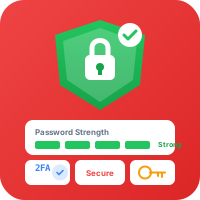
The State of Password Security in 2025
Despite advances in biometrics and passwordless authentication, passwords remain the primary security measure for most online accounts. Unfortunately, they're also one of the weakest links in personal security.
Alarming Statistics
- 81% of data breaches are caused by weak or stolen passwords
- The average person has 100+ online accounts
- 59% of people use the same password everywhere
- 123456 is still one of the most common passwords
10 Essential Password Best Practices
1. Use Long, Complex Passwords
Modern computers can crack short passwords in seconds. Aim for:
- Minimum 16 characters (longer is better)
- Mix of uppercase, lowercase, numbers, and symbols
- Avoid dictionary words and common patterns
K9#mPx$vL2@nQw8!Ht
Bad example: Password123!2. Use a Unique Password for Every Account
If one account is compromised, attackers will try those credentials everywhere. Unique passwords contain the damage.
The math: 100 accounts × 1 password = 1 breach exposes everything 100 accounts × 100 passwords = 1 breach exposes 1% of accounts
3. Consider Passphrases
Passphrases are easier to remember and often more secure than complex passwords:
correct-horse-battery-staple
This 28-character passphrase is:
- Easier to type and remember
- More secure than
Tr0ub4dor&3 - Contains 44 bits of entropy
4. Use a Password Manager
Password managers solve the impossible task of remembering unique, complex passwords for 100+ accounts.
Benefits:
- Generate strong, random passwords
- Auto-fill credentials securely
- Sync across devices
- Alert you to breaches
5. Enable Two-Factor Authentication (2FA)
2FA adds a second layer of security. Even if your password is stolen, attackers can't access your account without the second factor.
Types of 2FA (from most to least secure):
- Hardware security keys (YubiKey)
- Authenticator apps (Google Authenticator, Authy)
- SMS codes (better than nothing, but vulnerable to SIM swapping)
6. Never Share Passwords
This seems obvious, but sharing happens more than you'd think:
- Don't share passwords via email or text
- Don't use shared accounts
- If you must share, use a password manager's secure sharing feature
7. Change Passwords After Breaches
When a service announces a breach:
- Change your password immediately
- Check if you reused that password elsewhere
- Enable 2FA if available
- Monitor for suspicious activity
8. Be Wary of Phishing
Even strong passwords are useless if you enter them on fake sites:
- Check URLs carefully before entering credentials
- Don't click login links in emails,navigate directly to sites
- Look for HTTPS and valid certificates
- When in doubt, contact the company directly
9. Secure Your Recovery Options
Account recovery is often the weakest link:
- Use strong, unique passwords for email accounts
- Secure recovery phone numbers and emails
- Don't use easily researched security questions
- Consider using random answers stored in your password manager
10. Regularly Audit Your Passwords
At least annually:
- Review all saved passwords
- Update weak or old passwords
- Remove accounts you no longer use
- Check for password reuse
- Verify 2FA is enabled on important accounts
Creating Strong Passwords
The Random Password Method
Use a password generator (like ToolPop's) to create truly random passwords:
Kx9#mP$vL2@nQw8!Ht5&Zj
Pros: Maximum security, unpredictable Cons: Impossible to remember (requires password manager)
The Passphrase Method
String together random, unrelated words:
purple-elephant-dancing-moonlight-seven
Pros: Memorable, very long, easy to type Cons: Slightly less entropy per character
The Pattern Method (Use Carefully)
Create a memorable base pattern, modified per site:
Base: MyS3cur3P@ss!
Amazon: AmzMyS3cur3P@ss!
Gmail: GmlMyS3cur3P@ss!
Warning: This method has weaknesses. If one password is exposed, the pattern may be recognizable.
What to Avoid
❌ Personal information (birthdays, names, addresses) ❌ Dictionary words (even with substitutions like @ for a) ❌ Keyboard patterns (qwerty, 12345) ❌ Common passwords (password, admin, letmein) ❌ Short passwords (under 12 characters) ❌ Reusing passwords across sites
The Future: Passwordless Authentication
Emerging technologies may eventually replace passwords:
- Passkeys: Cryptographic keys stored on your devices
- Biometrics: Fingerprint and face recognition
- Hardware tokens: Physical security keys
Quick Action Checklist
- ☐ Generate new passwords for your top 5 most important accounts
- ☐ Set up a password manager
- ☐ Enable 2FA on email, banking, and social media
- ☐ Check haveibeenpwned.com for your email
- ☐ Schedule a quarterly password audit
Conclusion
Password security isn't glamorous, but it's fundamental to protecting your digital life. By following these best practices,using unique, strong passwords, enabling 2FA, and staying vigilant against phishing,you dramatically reduce your risk of account compromise.
Start today: Use ToolPop's free Password Generator to create strong, unique passwords for your most important accounts.
Try Our Free Tools
Put these tips into practice with our free online tools. No signup required.
Explore Tools