
YouTube Description Template: The Perfect Formula for 2025
A well-crafted YouTube description boosts SEO, drives clicks, and converts viewers into subscribers. Here is the perfect template.
Why YouTube Descriptions Matter
YouTube descriptions are often overlooked, but they serve multiple crucial functions:
SEO Benefits
- YouTube reads descriptions to understand your content
- Keywords in descriptions help videos rank in search
- Descriptions appear in Google search results
Viewer Benefits
- Provide context about the video
- Include timestamps for navigation
- Link to resources mentioned
- Drive traffic to other platforms
The Perfect Description Structure
Section 1: Hook (First 150 Characters)
The first 1-2 sentences appear above the "Show more" fold. Make them count:
Template:
[What viewers will learn/experience] + [Why it matters] + [Call to action]
Example: "In this video, I reveal the exact editing workflow that saved me 10 hours per week. Watch to the end for my free preset pack."
Section 2: Video Summary (200-300 words)
Expand on what the video covers:
- Summarize key points
- Include primary keywords naturally
- Mention who this video is for
- Tease the value viewers will get
Section 3: Timestamps
Break down your video into sections:
TIMESTAMPS:
0:00 - Introduction
1:24 - First Topic
4:56 - Second Topic
8:30 - Third Topic
12:45 - Conclusion
Section 4: Links and Resources
RESOURCES MENTIONED:
- Free Template: [link]
- Tool I Use: [link]
- Related Video: [link]
Section 5: Channel Info
Consistent branding and links:
CONNECT WITH ME:
Instagram: @username
Twitter: @username
Website: website.com

SUBSCRIBE for weekly videos on [your topic]!
Section 6: Search Keywords
Natural keyword inclusion at the end:
This video covers [keyword 1], [keyword 2], and [keyword 3] for anyone looking to [achieve goal].Complete Template (Copy This)
[Hook: 1-2 sentences about what viewers will learn and why it matters]

In this video, I'm sharing [topic]. Whether you're a [beginner/intermediate/advanced] looking to [goal], this guide covers everything you need to know.

Here's what you'll learn:
✓ [Key point 1]
✓ [Key point 2]
✓ [Key point 3]
✓ [Key point 4]

By the end of this video, you'll be able to [outcome/transformation].

▬▬▬▬▬▬▬▬▬▬▬▬▬▬▬▬▬▬▬▬▬▬▬▬▬

⏱️ TIMESTAMPS:
0:00 - Introduction
0:45 - [Section 1]
3:20 - [Section 2]
6:15 - [Section 3]
9:30 - [Section 4]
12:00 - Summary

▬▬▬▬▬▬▬▬▬▬▬▬▬▬▬▬▬▬▬▬▬▬▬▬▬

📚 RESOURCES & LINKS:
► [Resource 1]: [URL]
► [Resource 2]: [URL]
► [Resource 3]: [URL]

📺 RELATED VIDEOS:
► [Video Title 1]: [URL]
► [Video Title 2]: [URL]

▬▬▬▬▬▬▬▬▬▬▬▬▬▬▬▬▬▬▬▬▬▬▬▬▬

🎬 ABOUT THIS CHANNEL:
[1-2 sentences about your channel and posting schedule]

👋 CONNECT WITH ME:
► Instagram: [URL]
► Twitter: [URL]
► Website: [URL]
► Email: [email for business inquiries]

▬▬▬▬▬▬▬▬▬▬▬▬▬▬▬▬▬▬▬▬▬▬▬▬▬

🔔 Don't forget to SUBSCRIBE and hit the notification bell!

#[hashtag1] #[hashtag2] #[hashtag3]

[Additional keywords for search: topic variation 1, topic variation 2, related topic]
SEO Best Practices
Keyword Placement
- First 25 words: Include primary keyword
- First 150 characters: Most important for preview
- Throughout: Natural mentions of related terms
- End section: Keyword-rich summary
Keyword Research
Find what people search for:
- YouTube search autocomplete
- YouTube Studio Analytics (traffic sources)
- Competitor video descriptions
- Google Trends
Avoid Keyword Stuffing
Bad: "Learn video editing. Video editing tutorial. Best video editing. Video editing for beginners. Video editing 2025."
Good: "This video editing tutorial walks you through the complete editing process. Perfect for beginners looking to improve their video editing skills in 2025."
Timestamps Best Practices
Why Use Timestamps?
- Improve viewer experience
- Enable YouTube "chapters" feature
- May show in Google search results
- Increase watch time for returning viewers
Timestamp Format
✅ 0:00 - Introduction
✅ 1:30 - First Topic

❌ 00:00 Introduction (no dash)
❌ 1:30 First Topic: (colon at end)
Creating Effective Chapters
- Start at 0:00 (required for chapters)
- Use at least 3 timestamps
- Each section minimum 10 seconds
- Descriptive, keyword-rich labels
Driving Action from Descriptions
Newsletter Signups
"📧 Join 10,000+ creators getting weekly tips: [link]"
Other Videos
"📺 Watch next: [Related Video Title] - [link]"
Products/Services
"🛒 Get my course: [link] (Use code YOUTUBE for 20%)"
Social Follows
"📱 Follow for daily tips: Instagram @handle"
Tools for Description Optimization
ToolPop YouTube Description Generator
- Enter your video topic
- Select video type
- Add key points
- Generate optimized description
Description Checklist
Before publishing:
- [ ] Hook in first 150 characters
- [ ] Primary keyword in first 25 words
- [ ] Timestamps included
- [ ] Links working
- [ ] Call-to-action present
- [ ] Channel info consistent
Conclusion
Your YouTube description is valuable real estate. Use the template and best practices in this guide to create descriptions that boost your SEO, improve viewer experience, and drive meaningful action.
Start with ToolPop's free YouTube Description Generator, then customize with your specific links and branding.
Related Articles
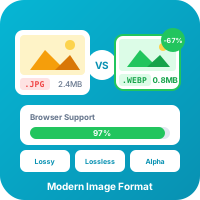
WebP Image Format: Complete Guide for Web Developers
WebP offers 25-35% smaller file sizes than JPEG with equivalent quality. Learn everything about this modern image format and how to use it effectively.
Read more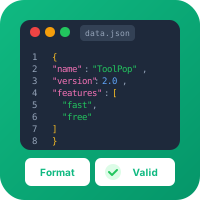
JSON Formatting and Validation: A Developer's Complete Guide
JSON is everywhere in modern development. Learn how to format, validate, and debug JSON data like a pro with this comprehensive guide.
Read moreTry Our Free Tools
Put these tips into practice with our free online tools. No signup required.
Explore Tools