
Base64 Encoding and Decoding: Complete Developer Guide
Base64 is everywhere in web development. Learn how it works, when to use it, and how to implement it correctly in your applications.
What is Base64 Encoding?
Base64 is a binary-to-text encoding scheme that converts binary data into a string of ASCII characters. It uses 64 characters (A-Z, a-z, 0-9, +, /) to represent binary data, making it safe for transmission over text-based protocols.
The Base64 Alphabet
A-Z (26 characters)  → Values 0-25
a-z (26 characters)  → Values 26-51
0-9 (10 characters)  → Values 52-61
+                    → Value 62
/                    → Value 63
=                    → Padding character
How Base64 Works
- Take 3 bytes (24 bits) of binary data
- Split into 4 groups of 6 bits each
- Map each 6-bit group to a Base64 character
- If input isn't divisible by 3, add padding (=)
Text:    H         i
ASCII:   72        105
Binary:  01001000  01101001

Split into 6-bit groups:
010010 | 000110 | 1001XX

Map to Base64:
010010 = 18 = S
000110 = 6  = G
100100 = 36 = k (padded with 00)

Result: SGk=
Why Use Base64?
1. Email Attachments (MIME)
Email was designed for text. Binary files (images, PDFs) must be encoded:
Content-Transfer-Encoding: base64

SGVsbG8gV29ybGQh...
2. Data URLs
Embed images directly in HTML/CSS:
<img src="data:image/png;base64,iVBORw0KGgoAAAANSUhEUgAAAAUA..." />.icon {
background-image: url(data:image/svg+xml;base64,PHN2ZyB4bWxucz0i...);
}3. API Data Transfer
Safely include binary data in JSON:
{
  "filename": "document.pdf",
  "content": "JVBERi0xLjQKJeLjz9MKMyAwIG9..."
}
4. Authentication Tokens
Basic Auth uses Base64:
Authorization: Basic dXNlcm5hbWU6cGFzc3dvcmQ=5. Storing Binary in Text Formats
Databases, XML, or config files that only support text.
Base64 Variants
Standard Base64 (RFC 4648)
Uses: A-Z, a-z, 0-9, +, / Padding: =
URL-Safe Base64
Uses: A-Z, a-z, 0-9, -, _ Avoids URL encoding issues with + and /
// Standard: SGVsbG8rV29ybGQ=
// URL-safe: SGVsbG8tV29ybGQ=
Base64url (JWT)
Same as URL-safe, often without padding:
eyJhbGciOiJIUzI1NiIsInR5cCI6IkpXVCJ9Implementation in Different Languages
JavaScript (Browser)
// Encode string to Base64
const encoded = btoa('Hello World');
// Result: "SGVsbG8gV29ybGQ="

// Decode Base64 to string
const decoded = atob('SGVsbG8gV29ybGQ=');
// Result: "Hello World"

// Handle Unicode (important!)
function encodeUnicode(str) {
  return btoa(encodeURIComponent(str).replace(
    /%([0-9A-F]{2})/g,
    (match, p1) => String.fromCharCode('0x' + p1)
  ));
}

function decodeUnicode(str) {
  return decodeURIComponent(atob(str).split('').map(
    c => '%' + ('00' + c.charCodeAt(0).toString(16)).slice(-2)
  ).join(''));
}
JavaScript (Node.js)
// Encode
const encoded = Buffer.from('Hello World').toString('base64');

// Decode
const decoded = Buffer.from(encoded, 'base64').toString('utf8');

// URL-safe encoding
const urlSafe = Buffer.from('Hello World')
  .toString('base64')
  .replace(/\+/g, '-')
  .replace(/\//g, '_')
  .replace(/=/g, '');
Python
import base64

# Encode
encoded = base64.b64encode(b'Hello World').decode('utf-8')
# Result: "SGVsbG8gV29ybGQ="

# Decode
decoded = base64.b64decode('SGVsbG8gV29ybGQ=').decode('utf-8')
# Result: "Hello World"

# URL-safe
url_encoded = base64.urlsafe_b64encode(b'Hello World').decode('utf-8')
Java
import java.util.Base64;

// Encode
String encoded = Base64.getEncoder()
    .encodeToString("Hello World".getBytes());

// Decode
byte[] decoded = Base64.getDecoder().decode(encoded);
String result = new String(decoded);

// URL-safe
String urlEncoded = Base64.getUrlEncoder()
    .encodeToString("Hello World".getBytes());
Go
import "encoding/base64"

// Encode
encoded := base64.StdEncoding.EncodeToString([]byte("Hello World"))

// Decode
decoded, err := base64.StdEncoding.DecodeString(encoded)

// URL-safe
urlEncoded := base64.URLEncoding.EncodeToString([]byte("Hello World"))
PHP
// Encode
$encoded = base64_encode('Hello World');

// Decode
$decoded = base64_decode($encoded);
Common Use Cases
1. Embedding Images in HTML
// Convert image file to data URL
function imageToDataURL(file) {
  return new Promise((resolve, reject) => {
    const reader = new FileReader();
    reader.onload = () => resolve(reader.result);
    reader.onerror = reject;
    reader.readAsDataURL(file);
  });
}

// Usage
const dataURL = await imageToDataURL(imageFile);
// "data:image/png;base64,iVBORw0KGgo..."
2. Basic Authentication
const username = 'user';
const password = 'pass';
const credentials = btoa(`${username}:${password}`);

fetch('/api/data', {
  headers: {
    'Authorization': `Basic ${credentials}`
  }
});
3. Storing Binary in localStorage
// Store image
const imageData = canvas.toDataURL('image/png');
localStorage.setItem('savedImage', imageData);

// Retrieve
const savedImage = localStorage.getItem('savedImage');
img.src = savedImage;
4. Sending Files via JSON API
async function uploadFile(file) {
  const base64 = await new Promise((resolve) => {
    const reader = new FileReader();
    reader.onload = () => resolve(reader.result.split(',')[1]);
    reader.readAsDataURL(file);
  });

  return fetch('/api/upload', {
    method: 'POST',
    headers: { 'Content-Type': 'application/json' },
    body: JSON.stringify({
      filename: file.name,
      content: base64
    })
  });
}
Base64 Size Overhead
Base64 increases data size by approximately 33%:
| Original Size | Base64 Size | Overhead |
|---|---|---|
| 1 KB | 1.37 KB | +37% |
| 100 KB | 137 KB | +37% |
| 1 MB | 1.37 MB | +37% |
When to Avoid Base64
- Large files (use binary transfer instead)
- Performance-critical applications
- When bandwidth is limited
- Frequently accessed images (use CDN URLs)
Security Considerations
Base64 is NOT Encryption
// This is NOT secure!
const "encrypted" = btoa('password123');
// Anyone can decode this

// Use proper encryption instead
const encrypted = await crypto.subtle.encrypt(algorithm, key, data);
Validate Before Decoding
function isValidBase64(str) {
  try {
    return btoa(atob(str)) === str;
  } catch (e) {
    return false;
  }
}

// More thorough validation
function isValidBase64Regex(str) {
  const base64Regex = /^[A-Za-z0-9+/]*={0,2}$/;
  return base64Regex.test(str) && str.length % 4 === 0;
}
Sanitize Decoded Content
// Don't trust decoded content
const decoded = atob(userInput);

// Validate/sanitize before using
if (isValidJSON(decoded)) {
  const data = JSON.parse(decoded);
  // Further validation...
}
Debugging Base64
Common Issues
1. Unicode Characters
// ❌ Fails with Unicode
btoa('Hello 世界'); // Error!

// ✅ Encode Unicode first
btoa(unescape(encodeURIComponent('Hello 世界')));
2. Invalid Characters
// ❌ Invalid Base64
atob('SGVsbG8gV29ybGQ'); // Missing padding

// ✅ Add padding if needed
function addPadding(str) {
  return str + '='.repeat((4 - str.length % 4) % 4);
}
3. Line Breaks
// Some Base64 includes line breaks (MIME)
const cleaned = base64String.replace(/[\r\n]/g, '');
const decoded = atob(cleaned);
Conclusion
Base64 encoding is a fundamental skill for web developers. While simple in concept, understanding its proper use, limitations, and security implications will help you build better applications.
Use our free Base64 Encoder/Decoder tool to quickly encode or decode data during development. It handles both standard and URL-safe variants, making debugging easier.
Related Articles
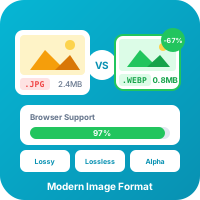
WebP Image Format: Complete Guide for Web Developers
WebP offers 25-35% smaller file sizes than JPEG with equivalent quality. Learn everything about this modern image format and how to use it effectively.
Read more
JSON Formatting and Validation: A Developer's Complete Guide
JSON is everywhere in modern development. Learn how to format, validate, and debug JSON data like a pro with this comprehensive guide.
Read moreTry Our Free Tools
Put these tips into practice with our free online tools. No signup required.
Explore Tools