
Character Counting for Developers: String Length, Encoding, and Best Practices
Character counting in programming is more complex than it seems. Learn about Unicode, encoding, and proper string handling for developers.
Character Counting: More Complex Than You Think
What seems simple,counting characters in a string,becomes complex when you consider Unicode, encoding, and edge cases. This guide helps developers understand and implement proper character counting.
Basic Character Counting
JavaScript
// Simple length property
const str = "Hello";
console.log(str.length); // 5

// But watch out for Unicode!
const emoji = "👋";
console.log(emoji.length); // 2 (not 1!)

// For accurate counting, use spread
const accurateLength = [...emoji].length; // 1
Python
# Python 3 handles Unicode well
text = "Hello"
print(len(text)) # 5
emoji = "👋"
print(len(emoji)) # 1 (correct!)
# But grapheme clusters are still tricky
family = "👨👩👧"
print(len(family)) # 5 (not 1!)Java
String str = "Hello";
System.out.println(str.length()); // 5

String emoji = "👋";
System.out.println(emoji.length()); // 2 (code units)

// Use codePointCount for accuracy
int codePoints = emoji.codePointCount(0, emoji.length()); // 1
Understanding Unicode
Code Points vs. Code Units
Code Point: A unique number assigned to each character in Unicode Code Unit: The actual bytes used to encode a code point
Example: The emoji 👋
- Code point: U+1F44B
- UTF-16 code units: 2 (surrogate pair)
- UTF-8 bytes: 4
Surrogate Pairs
Characters outside the Basic Multilingual Plane (BMP) require two code units in UTF-16:
const rocket = "🚀";

// UTF-16 length
console.log(rocket.length); // 2

// These are surrogate pairs
console.log(rocket.charCodeAt(0)); // 55357 (high surrogate)
console.log(rocket.charCodeAt(1)); // 56960 (low surrogate)

// Get actual code point
console.log(rocket.codePointAt(0)); // 128640
Grapheme Clusters
A grapheme cluster is what humans perceive as a single "character":
// Family emoji (man, woman, girl with ZWJ joiners)
const family = "👨👩👧";
console.log(family.length); // 8 (code units)
console.log([...family].length); // 5 (code points)
// But visually it's 1 character!
// Use Intl.Segmenter for accurate grapheme counting
const segmenter = new Intl.Segmenter('en', { granularity: 'grapheme' });
const graphemes = [...segmenter.segment(family)];
console.log(graphemes.length); // 1 (correct!)Encoding Considerations
UTF-8
Variable-length encoding (1-4 bytes per character):
| Characters | Bytes |
|---|---|
| ASCII (0-127) | 1 byte |
| Latin, Greek, etc. | 2 bytes |
| Most other scripts | 3 bytes |
| Emojis, rare characters | 4 bytes |
# Python byte counting
text = "Hello"
print(len(text.encode('utf-8')))  # 5 bytes

text = "你好"
print(len(text.encode('utf-8')))  # 6 bytes (3 per character)

text = "👋"
print(len(text.encode('utf-8')))  # 4 bytes
UTF-16
Variable-length encoding (2 or 4 bytes per character):
text = "Hello"
print(len(text.encode('utf-16-le')))  # 10 bytes (2 per character)

text = "👋"
print(len(text.encode('utf-16-le')))  # 4 bytes (surrogate pair)
Language-Specific Implementations
JavaScript: Modern Approach
function countCharacters(str) {
// Using Intl.Segmenter (best accuracy)
if (typeof Intl !== 'undefined' && Intl.Segmenter) {
const segmenter = new Intl.Segmenter('en', { granularity: 'grapheme' });
return [...segmenter.segment(str)].length;
}
// Fallback: spread operator (counts code points)
return [...str].length;
}
// Examples
console.log(countCharacters("Hello")); // 5
console.log(countCharacters("👋🌍")); // 2
console.log(countCharacters("👨👩👧")); // 1Python: Using grapheme library
import grapheme
text = "👨👩👧"
print(grapheme.length(text)) # 1
# Or iterate over grapheme clusters
for g in grapheme.graphemes(text):
print(g)Go: Using unicode/utf8
package main

import (
    "fmt"
    "unicode/utf8"
)

func main() {
    str := "Hello 👋"

    // Byte length
    fmt.Println(len(str)) // 10

    // Rune (code point) count
    fmt.Println(utf8.RuneCountInString(str)) // 7
}
Rust: Using unicode-segmentation
use unicode_segmentation::UnicodeSegmentation;
fn main() {
let text = "👨👩👧";
// Byte length
println!("{}", text.len()); // 18
// Character (code point) count
println!("{}", text.chars().count()); // 5
// Grapheme cluster count
println!("{}", text.graphemes(true).count()); // 1
}Database Considerations
MySQL/MariaDB
-- Character length (characters, not bytes)
SELECT CHAR_LENGTH('Hello 👋');, 7

-- Byte length
SELECT LENGTH('Hello 👋');, 10

-- Important: use utf8mb4 for full Unicode support
ALTER TABLE users CONVERT TO CHARACTER SET utf8mb4;
PostgreSQL
-- Character length
SELECT length('Hello 👋');, 7
-- Byte length
SELECT octet_length('Hello 👋');, 10
-- Grapheme clusters (requires extension)
SELECT length(normalize('👨👩👧', NFC));, 5 (not graphemes)SQLite
-- Length in characters
SELECT length('Hello 👋');, 7

-- For byte length, convert first
SELECT length(CAST('Hello' AS BLOB));, 5
API and Validation
Input Validation
function validateUsername(username) {
const graphemeCount = [...new Intl.Segmenter('en',
{ granularity: 'grapheme' }).segment(username)].length;
if (graphemeCount < 3) {
return { valid: false, error: "Username too short (min 3 characters)" };
}
if (graphemeCount > 20) {
return { valid: false, error: "Username too long (max 20 characters)" };
}
return { valid: true };
}
// Works correctly with emojis
validateUsername("Jo"); // Too short
validateUsername("John👨💻"); // Valid (6 graphemes)Twitter-Style Character Counting
Twitter counts most characters as 1, but URLs always count as 23:
function twitterCharCount(text) {
  // Simplified version
  const urlRegex = /https?:\/\/\S+/g;
  const urls = text.match(urlRegex) || [];

  let textWithoutUrls = text.replace(urlRegex, '');
  let count = [...textWithoutUrls].length;
  count += urls.length * 23; // Each URL = 23 characters

  return count;
}
Common Pitfalls
Pitfall 1: Trusting string.length
// DON'T rely on length for user-facing counts
const tweet = "Hello 🌍";
if (tweet.length <= 280) { /* ... */ } // Wrong!

// DO use proper counting
const graphemeLength = [...new Intl.Segmenter('en',
  { granularity: 'grapheme' }).segment(tweet)].length;
if (graphemeLength <= 280) { /* ... */ } // Correct!
Pitfall 2: Slicing Unicode Strings
const emoji = "👋🌍";

// DON'T slice by code unit
console.log(emoji.slice(0, 2)); // "👋" works (lucky!)
console.log(emoji.slice(0, 1)); // "�" broken!

// DO convert to array first
const chars = [...emoji];
console.log(chars.slice(0, 1).join('')); // "👋" correct!
Pitfall 3: Database Truncation
-- If column is VARCHAR(10)
INSERT INTO users (name) VALUES ('Hello 👋👋👋');
-- May be truncated unexpectedly, possibly breaking emoji

-- Solution: Use larger columns and validate in application
Pitfall 4: Comparing Character Counts Across Systems
Different systems count differently:
- iOS counts grapheme clusters
- JavaScript
.lengthcounts UTF-16 code units - Python
len()counts code points - Databases vary
Testing Character Counting
Test Cases
const testCases = [
{ input: "Hello", expected: 5 },
{ input: "Hello 👋", expected: 7 },
{ input: "👨👩👧", expected: 1 },
{ input: "é", expected: 1 }, // composed
{ input: "é", expected: 1 }, // decomposed (e + combining acute)
{ input: "🏳️🌈", expected: 1 }, // flag emoji
{ input: "", expected: 0 },
{ input: " ", expected: 3 },
];
testCases.forEach(({ input, expected }) => {
const result = countCharacters(input);
console.assert(result === expected,
`Failed for "${input}": got ${result}, expected ${expected}`);
});Performance Considerations
For large strings, character counting can be expensive:
// Fast: string.length (but inaccurate)
// O(1) in most implementations

// Medium: [...str].length
// O(n) - iterates through string

// Slower: Intl.Segmenter
// O(n) with more overhead

// For large texts, consider caching or approximate counting
function approximateCharCount(str) {
  // Fast approximation: assume most characters are BMP
  const len = str.length;
  // Count surrogate pairs (emoji, etc.)
  const surrogates = (str.match(/[�-�]/g) || []).length;
  return len - surrogates;
}
Conclusion
Character counting in programming requires understanding:
- The difference between code units, code points, and grapheme clusters
- Your language's string handling behavior
- Your application's actual requirements
Use our Character Counter tool to quickly verify string lengths during development, and implement proper Unicode handling in your applications.
Related Articles
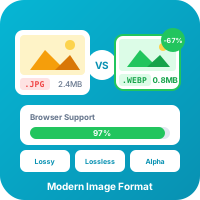
WebP Image Format: Complete Guide for Web Developers
WebP offers 25-35% smaller file sizes than JPEG with equivalent quality. Learn everything about this modern image format and how to use it effectively.
Read more
JSON Formatting and Validation: A Developer's Complete Guide
JSON is everywhere in modern development. Learn how to format, validate, and debug JSON data like a pro with this comprehensive guide.
Read moreTry Our Free Tools
Put these tips into practice with our free online tools. No signup required.
Explore Tools